UPLIFT V3 Standing Desk Review: Does it Justify the $599 Base Price?
All featured products are selected by our editors and may include affiliate links. If you purchase through these links, we may earn a commission.
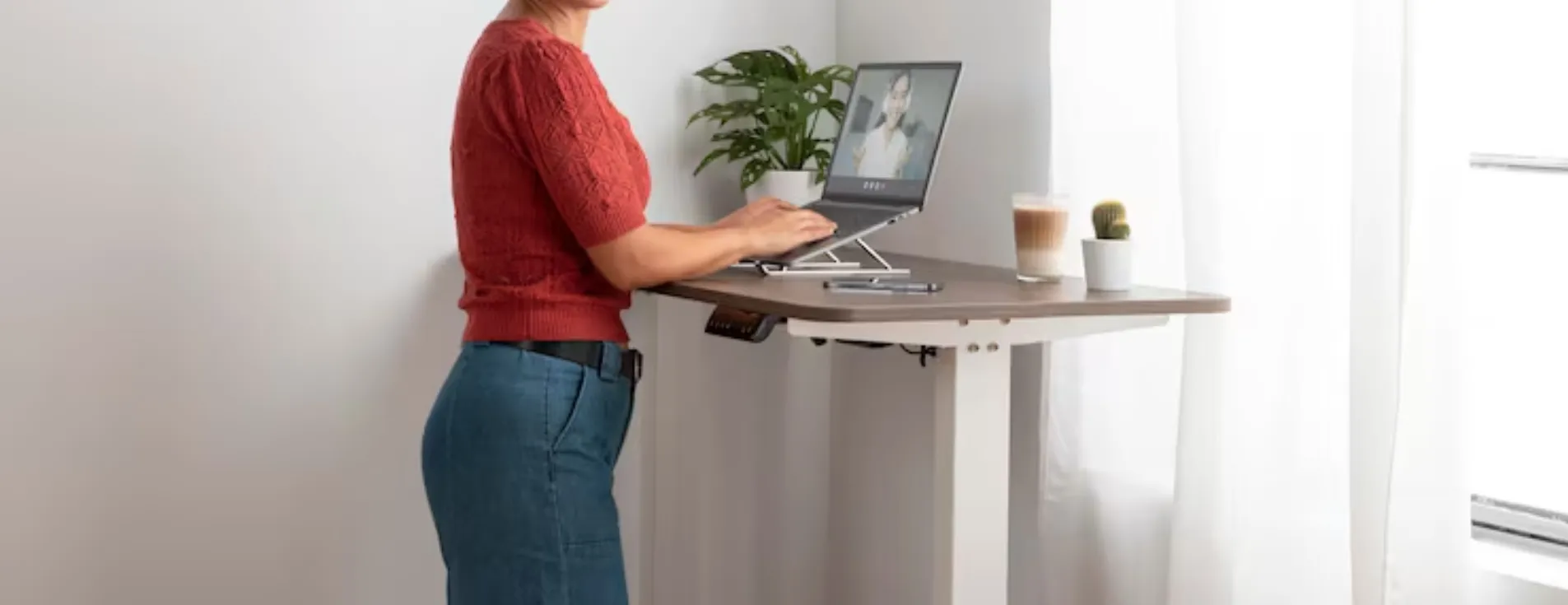
Working from home gets extremely frustrating when you spend all your time adjusting your shaky monitor, dealing with tangled cords, and trying to adjust yourself to the screen. Sure you can always buy one of those ergonomic chairs with height-adjustable features, but even after you’re stuck with a desk so low that it strains your back and shoulders.
This requires targeting the root cause: your desk. But replacing it is a gamble itself: what if that investment doesn’t pay off? That’s what the UPLIFT V3 standing desk promises to deliver through rigid stability, cleaner cable control, and a wider height range. But does the high price tag mean you’ll be getting practical features, or are these just fancy marketing terms? In this UPLIFT V3 standing desk review, you will learn this.
Overview of the UPLIFT V3 Standing Desk
The UPLIFT V3 Standing Desk is the flagship model from UPLIFT Desk that merges the brand’s earlier V2 and V2 Commercial frames into one unified design. Instead of selling extra stability as a separate commercial tier, UPLIFT brings reinforced engineering into its main two-leg frame. Its $599 starting build covers a compact 42-by-30-inch laminate top and basic keypad, while larger desktops and memory controls cost extra.
That unified build directly solves the daily posture and clutter problems of a fixed desk. Its 22.6 to 48.7-inch height range meets BIFMA ergonomic standards for 95% of users from 5'0" to 6'3", letting your shoulders drop into a natural position. Combined with steadier footing that stops monitor shake, built-in cord storage, and a 15-year warranty, UPLIFT Desk takes the risk out of upgrading.
Key Features of the UPLIFT V3 Standing Desk
UPLIFT Desk redesigned the V3 to eliminate the daily annoyances that ruin cheaper standing desks. Instead of charging extra for basic essentials, UPLIFT builds rock-solid stability, fast assembly, and cord storage right into the base price.
TremorGuard Feet and Dual Center Rails
UPLIFT pairs redesigned TremorGuard steel feet with heavy stability plates and dual central I-beams to lock the frame in place. This reinforced steel structure stops front-to-back rocking and side-to-side sway even at the full 48.7-inch height. You can type fast or lean on the desktop edge without watching your monitors bounce.
Single Tool Frame Assembly with Preinstalled Control Box
UPLIFT mounts the control box at the factory and preloads key fasteners, so you assemble the entire frame with one included Allen wrench. Instead of spending an afternoon sorting hardware bags, you click and tighten the core frame together in about five minutes. You unpack the boxes and start working right away without grabbing a power drill or extra tools.
Included FlexMount Cable Manager and Wraps
UPLIFT packs the flexible FlexMount cable pouch and ten mountable wraps right inside every V3 box. This wide pouch attaches beneath your desktop and holds bulky power strips, laptop bricks, and loose wires completely out of sight. Because your cords ride up and down with the tabletop, nothing dangles near your knees or tugs out of the wall when you stand.
Quiet Dual Motors with 355 Pound Lift Capacity
Synchronized dual motors inside the legs lift up to 355 pounds at two inches per second while staying quieter than 48 decibels. Even when you load the surface with solid wood, dual monitors, and heavy gear, the frame glides smoothly without jerking or stalling. You can shift between sitting and standing mid-call without distracting coworkers or waking anyone in the next room.
How the UPLIFT V3 Standing Desk Performs in Real Life
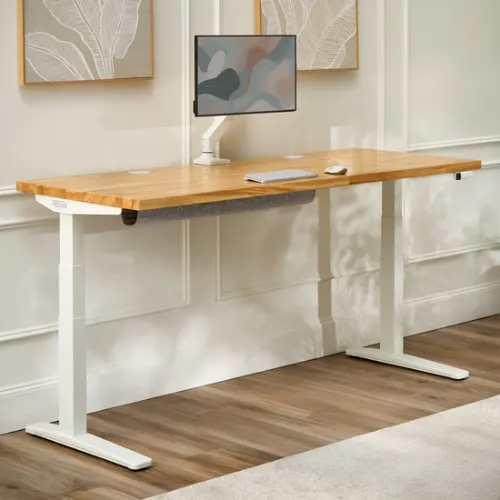
During a full workday, the UPLIFT V3 eliminates the daily frustrations that wear you down at a standard desk. Lowering the frame to 22.6 inches lets your forearms rest level so your shoulders relax, while raising it to standing height keeps your monitors steady even when you type fast or lean on the front edge. Upgrading to a one-touch memory keypad lets you shift postures smoothly without spilling a full mug, and the FlexMount pouch keeps power bricks and cords riding cleanly with the desktop instead of tangling around your knees.
Over months of daily adjustments and heavy loads, the frame holds its rigidity without loosening or sagging. Thread-locked machine screws resist the gradual rattle that weakens cheaper standing desks after repeated motor cycles, and the dual motors lift heavy multi-monitor rigs without straining or slowing down. Just expect two minor quirks in everyday use: the base keypad forces you to hold the button down for every height change unless you spend $29 for memory presets, and the optional pop-up power grommet crowds the end outlet on the under-desk power strip.
Pros and Cons of the UPLIFT V3 Standing Desk
Every commercial-grade standing desk involves trade-offs between upfront cost and long-term build quality. Weighing these strengths and natural limitations helps you decide whether the UPLIFT V3 fits your budget and daily workspace habits.
Pros
-
An expandable frame fits desktops from 41.3 to 72.2 inches wide for future upgrades.
-
A built-in 48-point mounting system attaches accessories without drilling into your tabletop.
-
Anti-collision sensors reverse the desk on impact, and keypad locks protect curious kids.
-
Greenguard Gold laminates limit indoor emissions, while adjustable studs steady the desk on carpet.
Cons
-
Heavy steel frame boxes and solid wood tops require two people to lift safely.
-
Sorting through dozens of finishes and accessories takes extra planning before you order.
-
Users taller than 6'3" need casters or an extension kit for enough standing height.
Customer Feedback About UPLIFT V3 Standing Desk
With the UPLIFT Desk 4.7 Trustpilot Rating, a majority of online reviews express significant appreciation for the standing desk. Long-term owners praise how well their desks hold up after five or more years of daily use. Many customers also thank helpful human agents who quickly edit orders, send missing parts, and handle warranty claims.
On the downside, some buyers report that heavy desktop boxes arrive damaged, orders get mixed up, or custom desks face strict return rules. Support teams usually replace broken parts, so measuring your space and double-checking your desktop and keypad choices before checkout helps you avoid these headaches.
FAQs
Which Keypad and Desktop Size Should You Choose?
Pick an advanced memory keypad for one-touch presets and a 60 by 30 inch top if you use dual monitors.
Does the UPLIFT V3 Wobble on Carpet?
Thick plush carpet adds slight sway at standing height, though TremorGuard steel feet and adjustable leveling studs keep daily typing steady.
How Hard Is ? to Assemble Alone?
One person can bolt the steel frame together in minutes using one Allen wrench, though flipping a solid wood top takes two people.
Can You Return the UPLIFT V3 if It Does Not Fit?
UPLIFT offers a 30-day trial with free return shipping on like-new desks kept in their original packaging.
The UPLIFT V3 standing desk earns its price tag because its core engineering delivers practical daily value rather than flashy gimmicks. If you work from home every day and want a permanent workstation that ends the cycle of replacing budget furniture, this frame is a smart investment.
You can also keep costs reasonable by sticking with a standard laminate surface and skipping pricey solid wood slabs or extra accessories, since every build shares the same underlying frame strength. Head over to the UPLIFT Desk store to compare V3 desktop sizes and build a setup that fits your budget.
Follow ShoneRight for more breakdowns of standing and sitting solutions to make your work simple.
Leave A Comment
Your email address will not be published. Required fields are marked *